Wednesday, 27 October 2010

Desktop final UPDATED

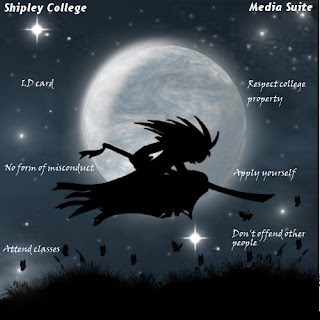
Over the last six weeks we have been working on our assignment. Which was to design and create our own desktop image. We started of by making four different ideas (you can see mine in one of my earlier posts). Using my design ideas l made a final image and it looked god awful so l made another design during the reading week. Here is how it started off...
My idea was to have a silhouette, manga style character in front of a moon in some sort of field. 
I thought this design looked a bit basic and boring so l worked on it some more. This time l tried to make a more realistic sky and moon. Here is what l did... 
Using the "Render tool in Gimp (my photoshop wouldn't work -_-). I made the texture of the moon and sky. Then to make the stars, grass and butterfly's. I used photoshop brush's l downloaded off "Deviantart".
I'm really pleased with how this turned out. I learned how to do this by watching someone make a planet in Gimp then l just changed the colour made a few tweaks using the "Warp" tool. Then l got something that kinda looks like a real moon. 
Now moving onto the character in google images l found a picture of a samurai that looked awesome. Only problem was in the image he was just stood up straight and l wanted him to be running across the picture. So using the image as reference l sketched a few rough ideas of different poses. Then worked on a final design it took me a few tries but eventually l did something l was happy with.
Then l added the character and background together tweaked the brightness worked a bit more on the night sky then l was finished. Ive really enjoyed working on this assignment  and hope my work is to a good enough standard. Feel free to put what you think in the comments thing not enough people do that. 


Wednesday, 20 October 2010

3ds Max animation

Using keyframe animation we added a very basic animation to our text. I like this tool because it is very simple to use and easy to change if you want to add more. Here is what l made...

I added keyframes to each individual letter to create some sort of flowing effect. Then it shoots of screen for some reason.

Using material editor in 3ds Max

In 3ds Max we all used the text tool to make our name in 2-d you can edit the size and font same as any other program. Then we used the "Extrude" tool to make the text 3-d. Then we used material editor to create textures for the text here are some examples.
Using the material editer we can even add efects such as "Glossiness", "Specular level" and what colours to use. In the three examples  l used "Planet" and "Wood" from the material browser you can however download or create your own material to use. Then l played around with the colour and size.

Wednesday, 13 October 2010

3-D Car Render

Today we have made a car model using 3-ds Max. I found this quite difficult when using the tools to shape the car. It was very easy to make mistakes and my car turned out looking like a complete mess. (So l am going to try it again ill upload a picture soon). Im going to practice using 3-d max when ever l can because im not very good at using it.

Wednesday, 6 October 2010

Desktop design ideas

I have started to develop my own ideas on paper for my desktop project here are the four designs l came up with.
My first idea was some sort of ball with lots of shapes flowing towards and away from it. I originally planned to keep it simple with only a few shapes but l ended up putting to many on and overcomplicating the image.


My second idea was to have some sort of character to represent "Shipley college" and the "Media Suite". I was supposed to draw some different character designs and stick them on. But l haven't got round to it yet.

My third idea was to have "Shipley college" and "Media suite" in some sort of stylized font. I may include this font idea in my final design. I have added some more pattern to this idea since uploading this photo.   


My final idea was to make some sort of landscape image similar to the windows sample pictures. I thought that this would work well as a desktop image. But may prove difficult when working with it on photoshop and adding colour. This is just a rough sketch actually creating a final piece with this idea. I think would take a very long time.

I'm not sure what idea l should use in my final design or whether to include all of them. I will continue to develop ideas until l find one that can be managed.

Building render design

After we made the simple castle render we were set a task to draw our own design for a building that we could make in 3-d max. I made some sort of car park with different levels supported by beams. This was relativly easy to do in 3-d max. Because once you have made the first level you can just use the clone tool to make the rest.

Simple castle render

Today we learned how to use box modeling techniqes and a range of other editing tools to create a simple render of a castle.

We used the Editable mesh, Vertex, Face and edge tools to edit a box into the shape of a castle. Later on we are going to design are our buildings on paper and then try to work them into 3-d max.